Examples to try
How to use the Small Text Generator
- Type or paste your text in the box.
- Every style updates as you type.
- Tap Copy next to the one you like and paste it anywhere.
About Small text
Small text is not a smaller font size. Unicode has its own small letters: superscript letters (ᵃᵇᶜ) that sit high like exponents, subscript letters (ₐₑₒ) that sit low, and small capitals (ᴀʙᴄ) that are capital shapes at lowercase height. Because they are characters, not formatting, they keep their size when you paste them into a bio or chat that has no font menu.
Unicode was built for maths and phonetics, so the sets are incomplete. There is no superscript q, and subscript only covers about 20 letters. The generator swaps in the closest match and leaves anything else as normal text, so check the result before you post it.
Popular uses
- Discord and Twitch nicknames that look quiet next to bold names
- Instagram and TikTok bios with a small caption line
- Footnote-style asides in chats (ᵗʰⁱˢ ⁱˢ ᶠⁱⁿᵉ)
- Small labels in Notion, Google Docs and slides
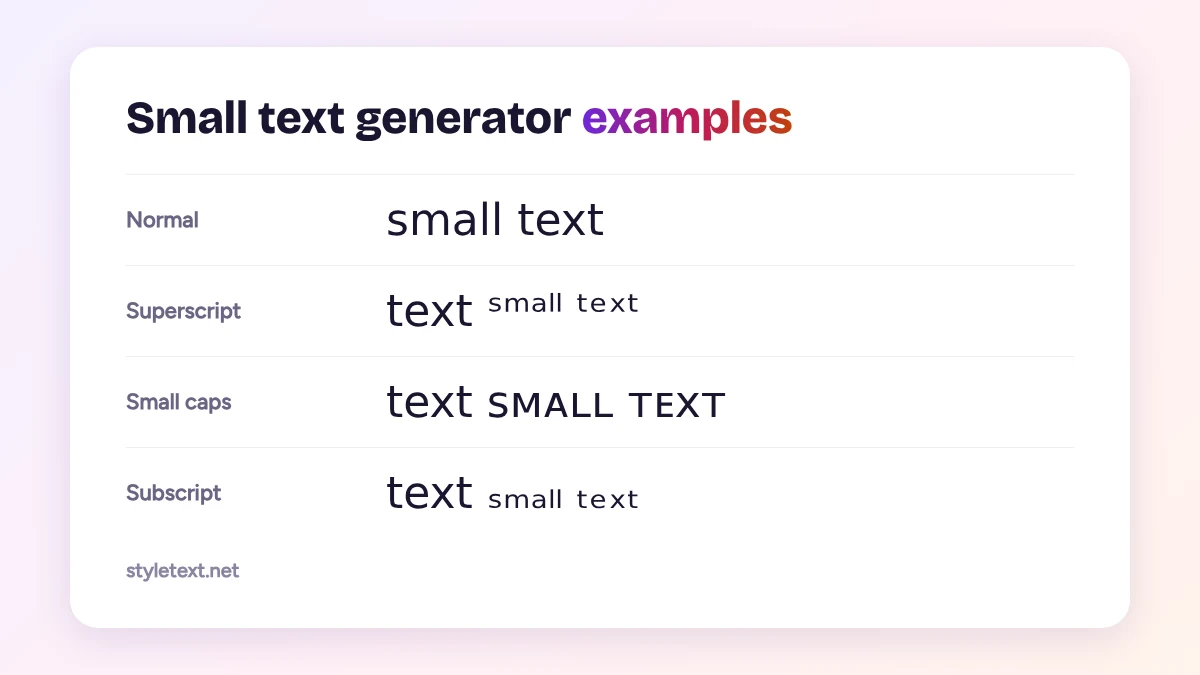
The three kinds of small text
This small text generator gives you three different sets of tiny letters. They are all real Unicode characters, not a font, which is why they keep their look when you paste them into apps that do not let you change fonts.
- Superscript (ˢᵘᵖᵉʳˢᶜʳᶦᵖᵗ): letters raised above the line, like the small numbers in x². Unicode has a superscript form for almost every lowercase letter, but not for q, so the tool keeps a normal q there.
- Small caps (ꜱᴍᴀʟʟ ᴄᴀᴘꜱ): capital letter shapes at the height of lowercase letters. They sit on the normal line, so they are the easiest small text to read.
- Subscript (ₛₘₐₗₗ): letters lowered below the line, like the 2 in H₂O. Only some letters have a subscript form, so subscript text is best for short words.
Where small text works best
- Instagram and TikTok bios: a short line of small caps under your name looks neat without taking much space.
- Discord and gaming names: superscript tags such as ᵒᶠᶠᶦᶜᶦᵃˡ or ᵃᶠᵏ next to a name.
- Captions and comments: a tiny side note at the end of a longer message.
- Notes and math: exponents and chemical formulas in places that do not support formatting.
Tips before you paste small text
Some apps and older phones do not have every one of these characters in their fonts and show an empty box instead. Paste your small text into a draft or your own profile first to check it. Screen readers may read these letters one by one or skip them, so keep important information, like a link or a price, in normal text. Want letters that look bigger instead? Try the cursed text generator for a glitched look.
Frequently asked questions
Why do some letters stay normal size?
Unicode has no small version of a few letters, such as superscript q and most subscript letters. The generator keeps those letters as they are rather than using a wrong character.
Is small text the same as tiny text?
Yes. People search for small text, tiny text and small font, but they all mean these superscript, subscript and small capital letters.
Does tiny text work on Discord?
Yes, in messages, server nicknames and bios. Some games and banking apps only accept plain letters in names.
Can screen readers read small text?
Not well. Many screen readers read each letter separately or skip them, so keep important information in normal text.