What is an Undertale text box generator?
An Undertale text box generator makes the black dialogue box with a white border and pixel letters that fans know from the game. You type a line, pick a pixel font and download the box as a PNG.
This Undertale font generator adds the opening asterisk for you and wraps long lines. All the pixel fonts are free from Google Fonts, and everything runs in your browser.
On this page
How to use the Undertale Text Box Generator
- Type your text in the box.
- Pick a font, colors and effects. The preview updates as you go.
- Download the PNG or copy the image.
About Undertale text box
RPG dialogue boxes like the ones in Undertale and Deltarune are simple: a black panel, a thick white border and a pixel font, with an asterisk before each line of narration. This generator builds that layout with free pixel fonts and wraps long text onto up to three lines.
It is a fan tool and does not include game characters, portraits or the game's own font. Undertale and Deltarune are trademarks of Toby Fox.
Popular uses
- Memes and fan comics
- Discord reaction images
- Video thumbnails and edits
- Birthday messages for fans
How to write a good dialogue box
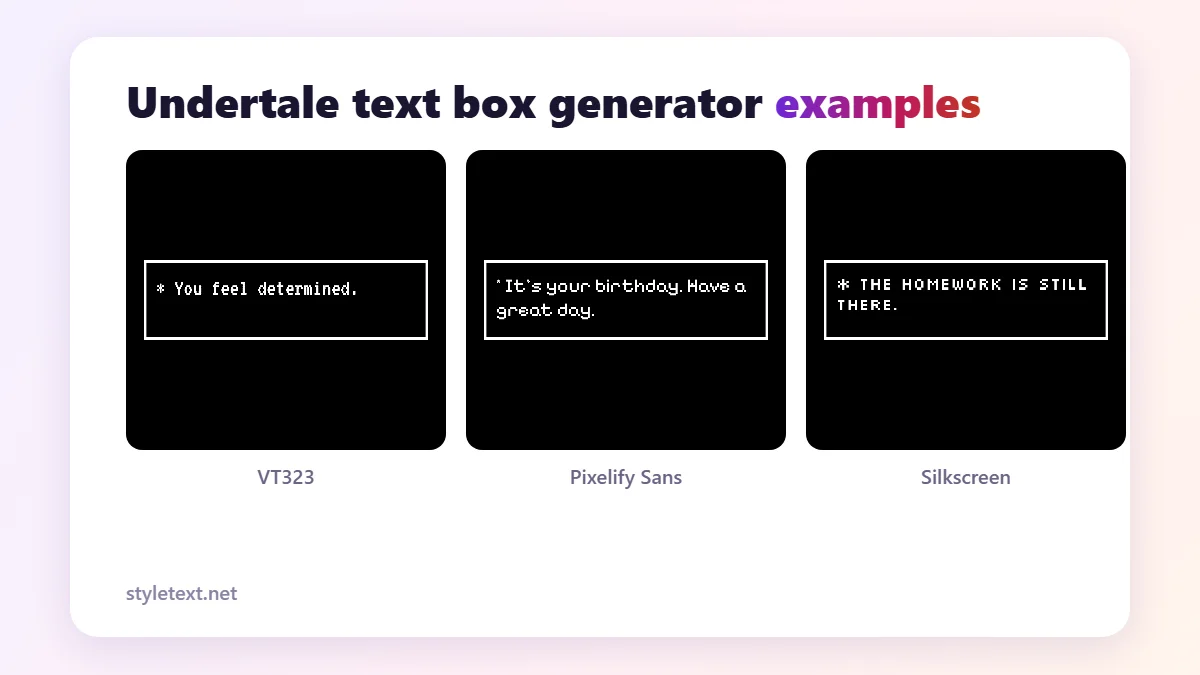
- Write the line without the asterisk. The tool adds the classic * at the start for you, as in * You feel determined.
- Keep it to one to three short lines. The box wraps long text, but short lines feel more like the game.
- Use plain, simple sentences. The charm comes from the calm, slightly odd tone.
- For a character speaking, write the line without a name tag, then caption the image with who is talking.
Ideas for your text box
- Birthdays: * It’s your birthday. You are filled with determination.
- School and work: * The homework is still there. It won’t go away.
- Discord reactions: a quick box to answer a friend in style.
- Fan comics and edits: dialogue panels for your own stories.
This undertale text box generator builds the black box, white border and wrapped lines for you, so you only write the words.
Pick a pixel font
VT323 looks like a classic terminal, Pixelify Sans is rounder and easy to read, and Silkscreen is small and blocky. All three are free from Google Fonts. This undertale font generator lets you switch between them before you download the PNG. For bigger retro titles, use the pixel font generator, and for a different game meme try the Dark Souls text generator.
Why use an Undertale text box generator?
The classic dialogue box has a strict look: a black box, a thick white border, a pixel font and text that wraps neatly. Getting the spacing right in an image editor is slow. An Undertale text box generator handles the border, padding and line breaks for you.
Fans use it for comics, fan games, video captions and birthday messages. Because this Undertale font generator works in your browser, you can make a whole conversation, one box at a time, and save each one as a PNG.
Frequently asked questions
Can I add a character portrait?
Not here; the tool makes the text box only, so add art in your editor.
How long can the text be?
About three lines; longer text is cut to fit the box.
Is this the real Undertale font?
No, it uses free pixel fonts with a similar look.
Can I make a Deltarune text box?
Yes, the same box style fits Deltarune memes.