What is a 3D text generator?
A 3D text generator gives flat words depth, so they look like thick blocks popping off the screen. It is the classic look for cartoon titles, game logos and YouTube thumbnails.
This free 3D font generator uses bold fonts from Google Fonts. Set the depth and colors, then download a transparent PNG.
On this page
How to use the 3D Text Generator
- Type your text in the box.
- Pick a font, colors and effects. The preview updates as you go.
- Download the PNG or copy the image.
About 3d text
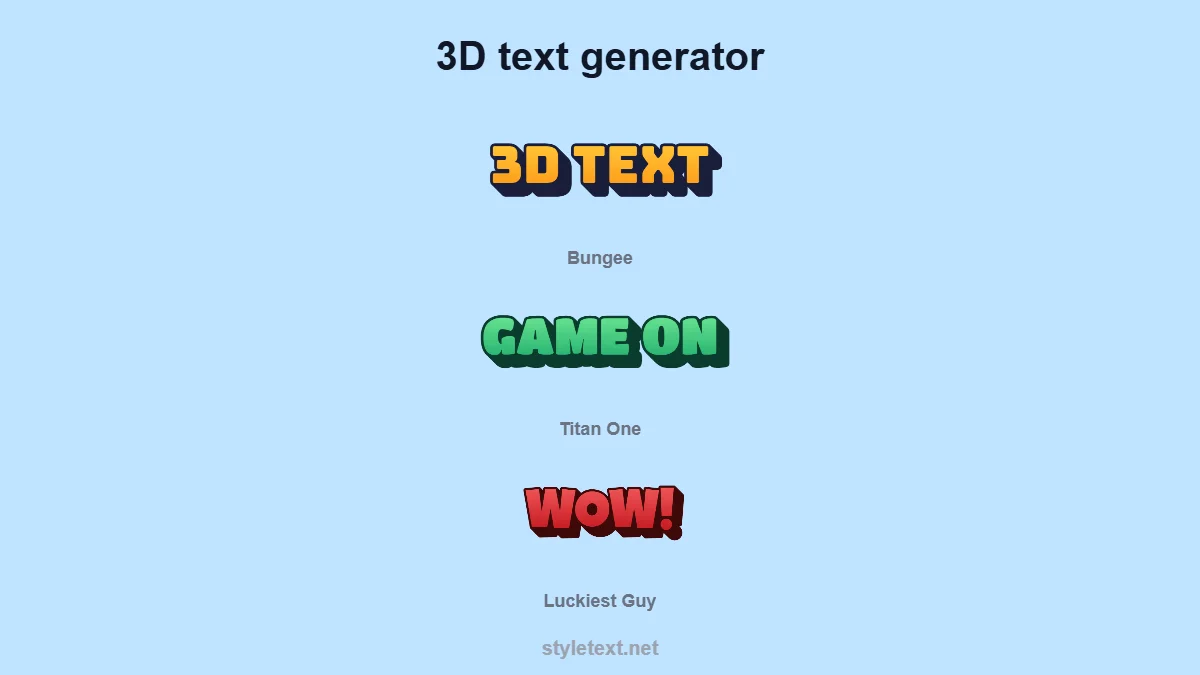
The 3D effect is made by stacking copies of the letters down and to the right, then drawing the front face on top, the same trick used for cartoon titles and game logos. The depth slider sets how thick the letters look, and the 3D colour sets the side colour.
Bright front colours with a dark side colour give the strongest effect. Thick, rounded fonts such as Bungee, Titan One and Luckiest Guy look best, because thin fonts lose their shape when extruded.
Popular uses
- YouTube and gaming thumbnails
- Cartoon-style logos and titles
- Birthday banners and posters
- Stickers and merch designs
Best uses for 3D letters
- YouTube and gaming thumbnails: big words like WOW, EPIC or GAME ON.
- Logos and channel names: a cartoon-style title that stands out.
- Party banners: HAPPY BIRTHDAY in chunky letters.
- Stickers and merch: bold names for shirts and laptop stickers.
How to get a strong 3D look
- Use thick, rounded fonts. Thin letters lose their shape when they get depth.
- Pick a bright front color and a dark side color.
- Add a thin dark outline so the front face stays crisp.
- Keep the depth moderate for small text and deeper for big titles.
For fire effects on top of bold letters, try the fire text generator, and for cartoon sound effects see the comic font generator.
Why use a 3D text generator?
Making 3D text in a design program means duplicating layers, shifting them and coloring the sides by hand. A 3D text generator does all of that automatically and updates as you type.
It is perfect when you need a thumbnail title fast. This 3D font generator is free, needs no software and exports a clean PNG for any background.
Frequently asked questions
How do I make the 3D effect deeper?
Move the 3D depth slider to the right.
Can I make the side a different colour?
Yes, pick any 3D color. A darker version of the front colour looks most natural.
Is this real 3D?
It is a flat PNG with a 3D-looking extrusion, which is what thumbnails and logos usually use.
Can I curve 3D text?
Not here. For curved text, use the curved text generator.