Examples to try
On this page
How to use the TikTok Font Generator
- Type or paste your text in the box.
- Every style updates as you type.
- Tap Copy next to the one you like and paste it anywhere.
About Tiktok font
TikTok shows Unicode letters in your Name, bio, captions and comments, but not in the @username, which only allows letters, numbers, underscores and periods. Video text added in the editor uses TikTok's own fonts, so paste these styles into captions instead.
Keep your name easy to search: many creators use a fancy font in the bio and keep the Name field mostly plain, because TikTok search matches plain letters better.
Popular uses
- TikTok bio lines
- Captions and comments
- The Name field on your profile
- Pinned comment highlights
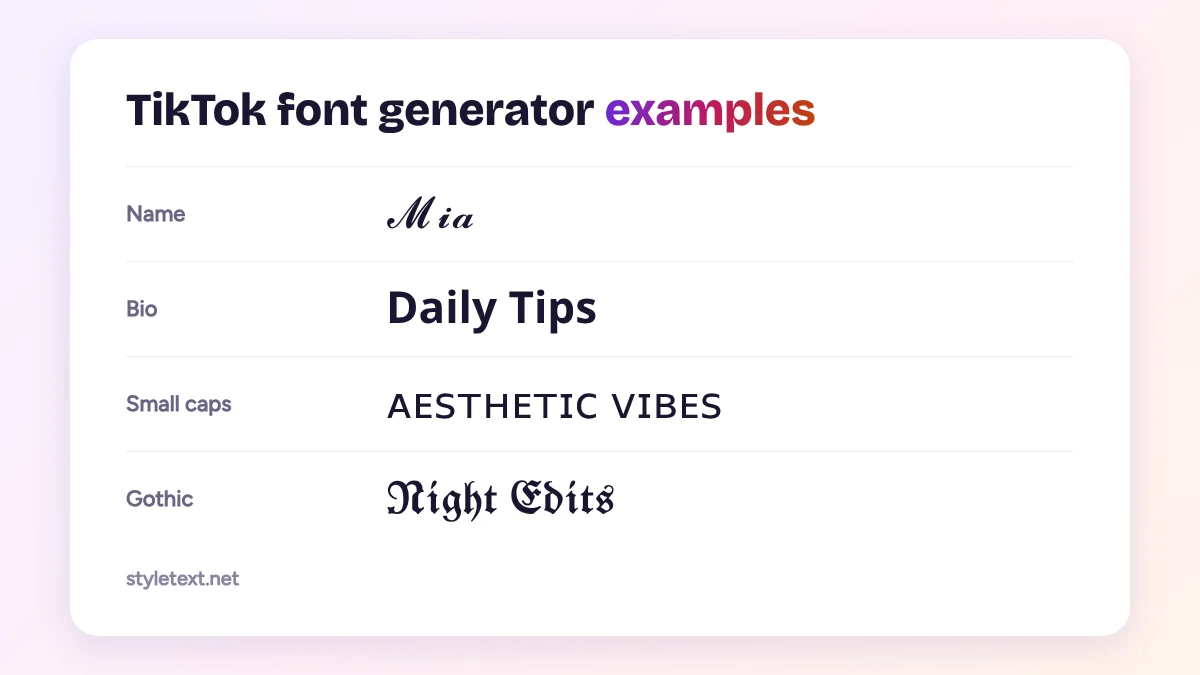
Where TikTok fonts work
- Name: the name shown above your bio. Fonts work here.
- Bio: one styled line stands out. The bio is only 80 characters, so keep the rest plain.
- Captions and comments: a styled first word catches the eye in the feed.
- @username: not possible. Usernames only allow letters, numbers, underscores and periods.
- Text on videos: the editor uses TikTok’s own fonts, so paste these styles into captions instead.
How to change your TikTok name or bio
- Make your text with this TikTok font generator and press Copy.
- Open TikTok, tap Profile, then Edit profile.
- Tap Name or Bio, paste and save.
Font ideas for TikTok
- Aesthetic: 𝓜𝓲𝓪 or ᴀᴇꜱᴛʜᴇᴛɪᴄ for soft, pretty profiles.
- Bold and clear: 𝗗𝗮𝗶𝗹𝘆 𝗧𝗶𝗽𝘀 for creator names and brand accounts.
- Dark: 𝕹𝖎𝖌𝖍𝖙 for horror, gaming and goth content.
- Cute: combine a style with hearts using the heart text generator.
Tips for TikTok fonts
Every TikTok font generator style here pastes as plain Unicode. Keep your main name searchable. People who search TikTok for you type plain letters, so a fully styled name can be harder to find; style one word and leave the rest plain. Some letters count as two characters toward the bio limit, so check the length before you save. Test on a friend’s phone too, because a few styles can show as boxes on older devices. For more platform tips, see the Discord font generator.
Frequently asked questions
Can I use these fonts in my TikTok username?
No, the @username only allows plain letters, numbers, _ and periods. Use them in your Name and bio.
Will fancy fonts hurt my TikTok search?
Search matches plain letters best, so keep your main name readable and use fonts for decoration.
Can I use these fonts in the TikTok video editor?
The editor has its own fonts. Paste these styles into captions and comments.
Do these fonts work on Android and iPhone?
Yes, they are standard Unicode characters.