Examples to try
On this page
How to use the Discord Font Generator
- Type or paste your text in the box.
- Every style updates as you type.
- Tap Copy next to the one you like and paste it anywhere.
About Discord font
Discord shows Unicode letters in display names, server nicknames, role names, channel names and chat, so these styles paste in cleanly. Discord's own markdown (**bold**, *italic*, ~~strike~~, `code`) only works in messages, which is why people use Unicode fonts for names.
Your Discord username (the unique @handle) only accepts lowercase letters, numbers, dots and underscores. Use fancy fonts for your display name and server nickname instead. Heavy cursed text may be blocked by a server's AutoMod, so the light version is included.
Popular uses
- Display names and server nicknames
- Role and channel names
- Server name and welcome messages
- Status and bio (About Me)
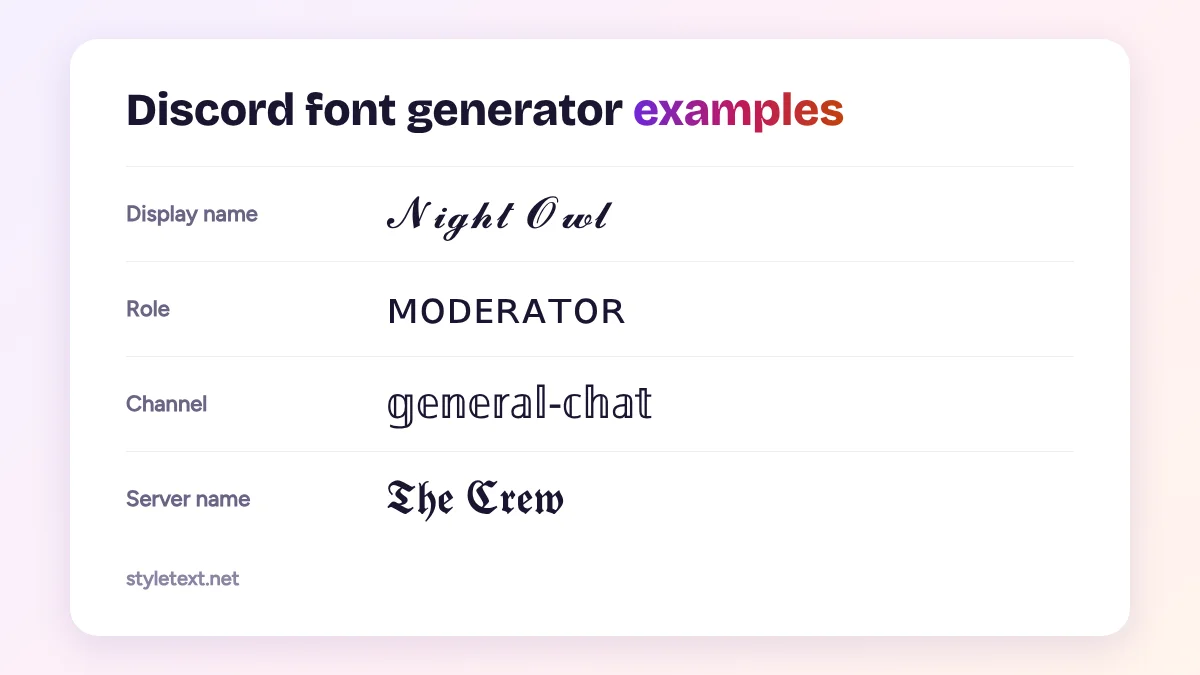
Where Discord fonts work
- Display name: the name people see next to your messages. Fancy fonts work here.
- Server nickname: a different name for each server, perfect for a themed look.
- Role names: make roles like ᴍᴏᴅᴇʀᴀᴛᴏʀ easy to spot in the member list.
- Channel and server names: styled headings such as 𝕘𝕖𝕟𝕖𝕣𝕒𝕝-𝕔𝕙𝕒𝕥 or 𝕿𝖍𝖊 𝕮𝖗𝖊𝖜.
- About Me and custom status: one styled line stands out on your profile.
- @username: not possible. Usernames only accept lowercase letters, numbers, dots and underscores.
How to change your Discord display name
- Make your name with this Discord font generator and press Copy.
- On a computer, open User Settings (the gear icon), then Profiles. On a phone, tap your profile picture and then Edit Profile.
- Paste into Display Name and save.
- For one server only, open the server menu, choose Edit Server Profile and paste into Server Nickname.
Discord fonts vs. Discord formatting
Discord has its own text formatting for messages: **bold**, *italic*, __underline__, ~~strikethrough~~ and `code`. It is easier for screen readers, so use it in chat when you can. That formatting does not work in names, roles or channels, and that is where a Discord font generator helps: the letters are Unicode characters, so they keep their style anywhere you paste them. For crossed out names, the strikethrough text generator works outside messages too.
Tips for Discord names
- Keep one plain word in your name, so friends can still find you when they type @ to mention you.
- Some servers use AutoMod to block special characters or heavy glitch text. If your name is rejected, try a simpler style like small caps.
- Do not copy the name or style of a server’s staff. Moderators treat look-alike names as impersonation.
- Test the style on your phone too. A few letters may show as boxes on older devices.
Looking for a darker look? Try the gothic font generator or the cursed text generator.
Frequently asked questions
Can I use fancy fonts in my Discord username?
No. The @username only allows lowercase letters, numbers, _ and dots. Use fonts in your display name and server nicknames.
Do fonts work in Discord channel names?
Yes, most Unicode styles work in text channel names. Spaces become dashes automatically.
Why do some servers block fancy text?
Moderators can filter special characters with AutoMod to stop spam and impersonation.
How do I make colored text on Discord?
Use the Discord colored text generator on this site, which builds an ANSI code block.