Examples to try
On this page
How to use the Instagram Font Generator
- Type or paste your text in the box.
- Every style updates as you type.
- Tap Copy next to the one you like and paste it anywhere.
About Instagram text
Instagram has no font menu for bios or captions, but it displays Unicode letters, so these styles paste in as they are. They work in the Name field, bio, captions, comments and Stories text you paste in.
Your @username only accepts plain letters, numbers, periods and underscores. For accessibility, avoid putting key information only in fancy fonts, because screen readers may read them letter by letter.
Popular uses
- Bio headings and line breaks
- The Name field on your profile
- Caption titles and highlights
- Comment replies
Where Instagram fonts work
- Name: the bold name above your bio. Fonts work here, and the name appears in search.
- Bio: up to 150 characters. One styled heading line looks designed without being hard to read.
- Captions and comments: a styled first line stands out in the feed.
- @username: not possible. Usernames only allow letters, numbers, periods and underscores.
- Stories: you can paste the text into the Stories text tool, but Instagram may draw it in its own font.
How to add fonts to your Instagram bio
- Make your text with this Instagram font generator and press Copy.
- Open Instagram, go to your profile and tap Edit profile.
- Tap Name or Bio, paste and save. Come back to the Instagram font generator any time to try a new look.
Bio and caption ideas
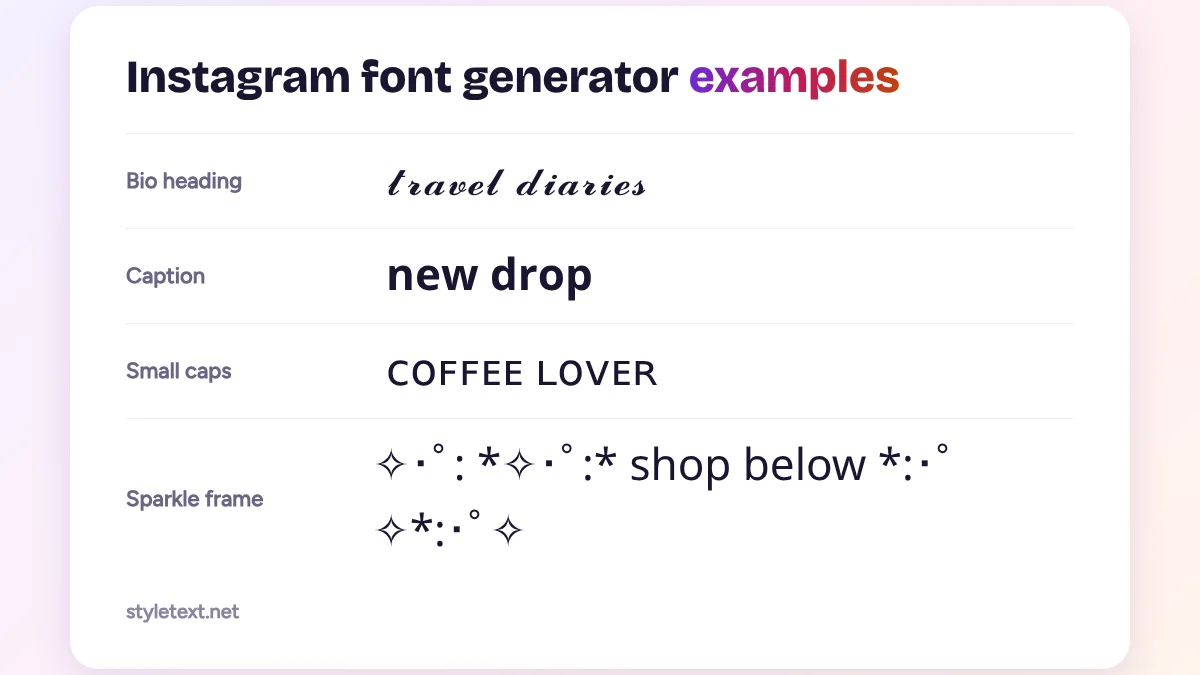
- Creators: 𝘱𝘩𝘰𝘵𝘰𝘨𝘳𝘢𝘱𝘩𝘦𝘳 or 𝓽𝓻𝓪𝓿𝓮𝓵 𝓭𝓲𝓪𝓻𝓲𝓮𝓼 as a bio heading.
- Small shops: 𝗻𝗲𝘄 𝗱𝗿𝗼𝗽 or 𝕝𝕚𝕟𝕜 𝕚𝕟 𝕓𝕚𝕠 above your link.
- Soft and aesthetic: ᴄᴏꜰꜰᴇᴇ ʟᴏᴠᴇʀ in small caps.
- Highlights: a sparkle frame like ✧・゚: *✧・゚:* shop below *:・゚✧*:・゚✧ for a launch or a sale.
Tips for Instagram fonts
Keep your main keywords in plain text. Instagram search matches normal letters best, so a fully styled name can make you harder to find; style one word in the Name field and keep the rest plain. Some fancy letters count as two characters, so check the 150-character bio limit before you save. Every Instagram font here pastes as plain Unicode, so it works on iPhone and Android. For more platforms, see the TikTok font generator and the Discord font generator.
Frequently asked questions
Do Instagram fonts work on the @username?
No. Use them in the Name field, bio and captions.
Will fancy fonts affect search on Instagram?
Instagram search matches plain letters best, so keep important keywords readable.
Can I use these fonts in Stories?
Yes, paste them into the Stories text tool, though Instagram may apply its own font on top.
Why do some letters look different?
A few Unicode styles borrow letters from older blocks, so some apps draw them slightly differently.