On this page
How to use the Pixel Font Generator
- Type your text in the box.
- Pick a font, colors and effects. The preview updates as you go.
- Download the PNG or copy the image.
About Pixel font
Pixel fonts are built on a grid of square dots, the way text was drawn on early computers and game consoles with very low resolution. They suit anything retro: game titles, Twitch overlays, indie game mockups and nostalgic posts.
Pixel fonts look sharpest at sizes that match their grid. If the edges look soft, try a slightly larger or smaller size.
Popular uses
- Game titles and indie game mockups
- Twitch and YouTube overlays
- Retro posters and stickers
- Minecraft and Roblox thumbnails
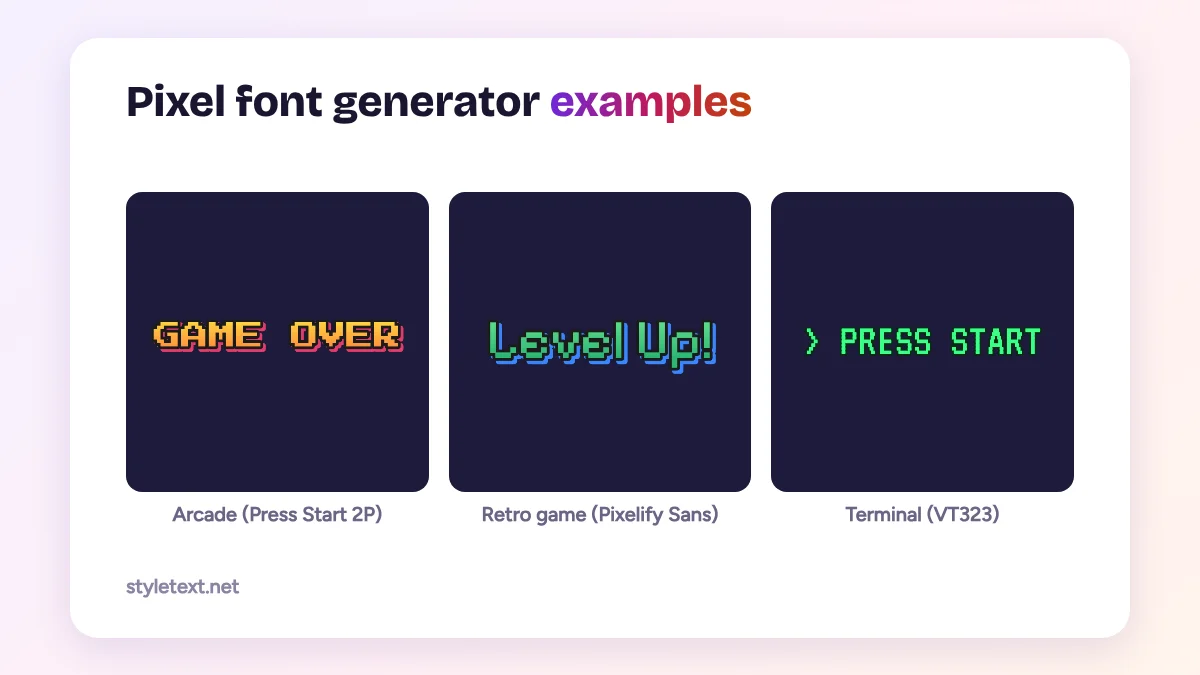
Pick the right pixel font
- Press Start 2P: chunky arcade capitals, perfect for GAME OVER, HIGH SCORE and title screens.
- Pixelify Sans: a friendly pixel font with lowercase letters, easier to read in longer titles.
- VT323: thin, tall letters like an old computer terminal. Great in bright green on a dark background.
- Silkscreen: a small, clean pixel font for labels, buttons and menu text.
All four come from Google Fonts under open licenses, so you can use them in your own games, videos and products. This pixel font generator shows every font as you type, so you can compare them before you download. It also works as a pixel text generator for short words, logos and usernames.
Ideas for 8-bit text
- Twitch and YouTube: stream overlays, “starting soon” screens and retro thumbnails.
- Game jams and indie games: a quick title or menu mockup before you draw the final art.
- Minecraft and Roblox content: pixel titles match the blocky look of the games.
- Retro parties: “Level 10 Unlocked” birthday invitations and arcade-themed signs.
Keep pixel text sharp
Text from any pixel font generator is drawn on a grid, so it looks crisp only when each square stays square. Download the PNG at the size you need instead of stretching a small one. If you have to resize it in an editor, choose Nearest Neighbor in Photoshop or set interpolation to None in GIMP, which keeps the hard edges instead of blurring them. A dark outline and a colored drop shadow help the letters stand out on busy game footage.
Want a different retro look? Try the metal font generator for band-style lettering, the curved text generator for round badges, or the big text generator for block letters you can copy and paste.
Frequently asked questions
What is an 8-bit font?
A font drawn on a pixel grid, like the text in 1980s and 90s video games.
Can I use these fonts in my game?
Yes. They are free fonts under open licenses (SIL OFL or Apache 2.0); credit is appreciated but not required.
Why do the edges look blurry?
Pixel fonts look best at sizes that match their grid. Try changing the size a little.
Is it a pixel text generator too?
Yes, pixel font and pixel text generators make the same thing.