Examples to try
On this page
How to use the Big Text Generator
- Type or paste your text in the box.
- Every style updates as you type.
- Tap Copy next to the one you like and paste it anywhere.
About Large text
Real big text in a chat is drawn with characters. This tool builds each letter on a 5 × 5 grid and fills it with █ blocks, your own letters, or # signs. Paste it into a monospaced place, such as a Discord code block (wrap it in “`), so the letters line up.
If you only need text that looks larger, the Unicode wide, bold and block styles below the art make each letter heavier without taking five lines. Block letters are limited to 14 characters so they fit on a phone screen.
Popular uses
- Announcements in Discord and Slack
- Code comments and README banners
- Birthday messages in group chats
- Stream overlays and chat art
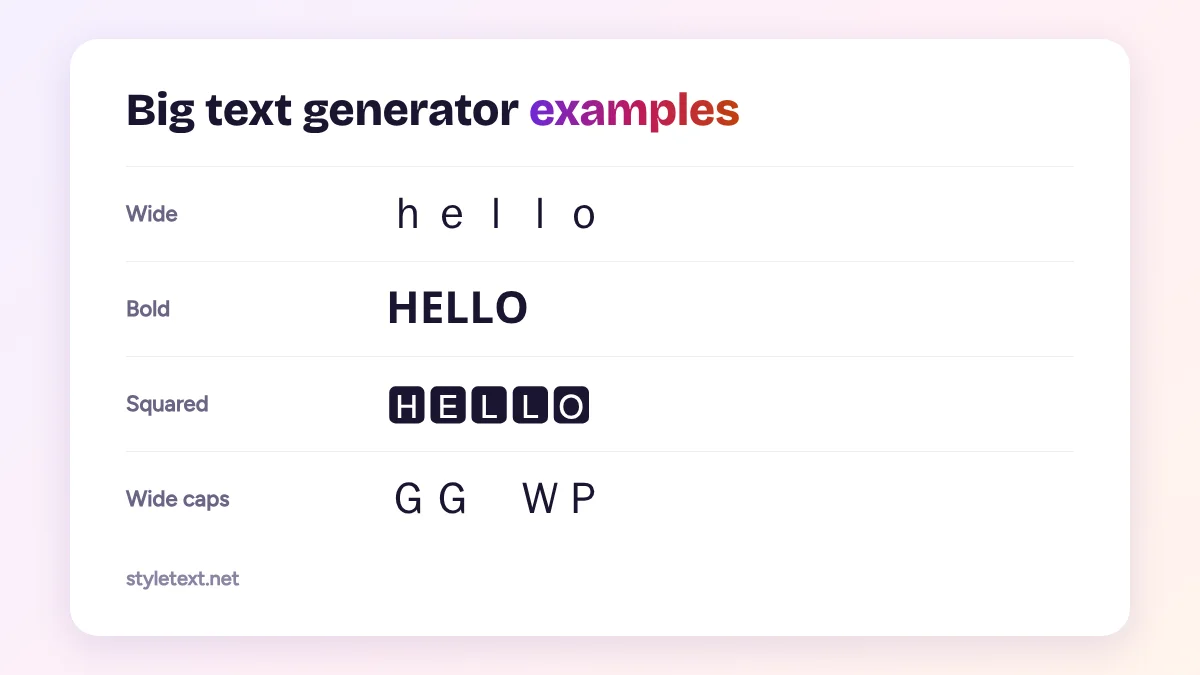
Block letters vs. big-looking text
There are two ways to make big text. Block letters build each letter out of █ squares on a 5 × 5 grid, so the word is drawn across several lines like ASCII art. Wide and bold text stays on one line but looks larger: wide text uses full-width characters (wide) and bold uses heavy letters (𝗕𝗢𝗟𝗗). This big text generator gives you both.
How to paste block letters so they line up
- Make your word with the block letter style and press Copy.
- In Discord, type three backticks (“`), paste the text, and close with three more backticks. The code block uses a monospaced font, so every column lines up.
- In code comments or a plain text file, use a monospaced font such as Courier. Large text generator output lines up only in monospaced fonts.
- On a phone, keep it to three to five letters, or the lines will wrap and break the letters apart.
Ideas for big text
- Discord: a big GG, WIN or HYPE in a server announcement.
- Code and README files: large section titles in comments.
- Group chats: a giant HAPPY BIRTHDAY or a huge NO.
- Comments and captions: one wide word to grab attention.
Tips before you paste
Block letters take a lot of space and can look like spam in busy channels, so use them for special moments. Apps that use a proportional font, like most social media captions, will not line up the blocks; use the wide or bold style there instead. Screen readers cannot read block letters, so add the word in plain text too. When a big text generator style looks broken, the app is changing the font; switch styles and try again. For other styles, try the Discord font generator or the small text generator for the opposite effect.
Frequently asked questions
Why do my big letters look broken?
They need a monospaced font. In Discord, put the text inside a code block with “` before and after it.
Can I change the block character?
Yes. Pick █ blocks, your own letters, or # signs above the result.
Is there a size limit?
Up to 14 characters per line, so the art fits on phones and in chat windows.
Is this the same as a large font generator?
Yes. Large text, big font and giant text generators all make bigger-looking letters like these.