What is a fire text generator?
A fire text generator puts a hot orange-to-yellow gradient and a glow on your words, so they look like they are burning. It is made for thumbnails, gaming banners and bold social posts.
This burning text generator renders the image in your browser with fonts from Google Fonts. Pick a font, adjust the glow and download a PNG with a clear background.
On this page
How to use the Fire Text Generator
- Type your text in the box.
- Pick a font, colors and effects. The preview updates as you go.
- Download the PNG or copy the image.
About Fire text
The fire effect combines three layers: a hot gradient from yellow at the top to deep red at the bottom, a dark outline that keeps letters sharp, and a soft orange glow behind. Bold, condensed fonts work best because thin letters get lost in the glow.
Change the colors for blue fire, green toxic fire or a gold flame, and pick a transparent background to place the text on your own image.
Popular uses
- YouTube and gaming thumbnails
- Sale and event posters
- Hype posts and stream alerts
- Band and mixtape covers
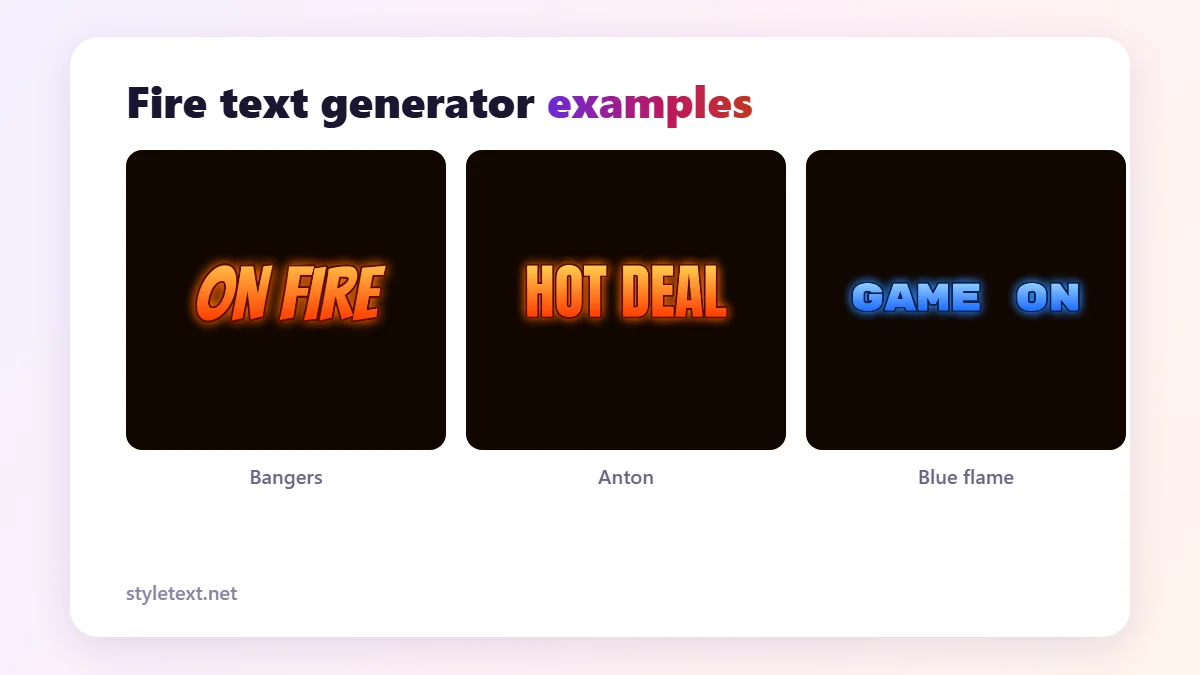
Pick a fire font
- Bangers: a comic, energetic look for hype posts and thumbnails.
- Anton: tall and condensed, so even long words fit and stay readable.
- Rubik Mono One: heavy, blocky letters for logos and esports titles.
This fire text generator shows the flame gradient and glow on every font as you type.
Ideas for burning text
- YouTube thumbnails: ON FIRE, INSANE or 100% for gaming and reaction videos.
- Sales: HOT DEAL or SALE banners for shops and flyers.
- Sports and esports: team names, GAME DAY and win streak posts.
- Music: mixtape and playlist covers.
Get the best flame look
Use short, bold words in capitals; thin letters disappear in the glow. A dark background makes the flames brightest, while a transparent PNG lets you place the burning text on your own photo. Try blue flames for an icy look or green for toxic fire. For other effects, see the metal font generator or the big text generator. Every burning text generator image here is free to use.
Why use a fire text generator?
Flaming text grabs attention, but building it in an editor means layering gradients, glows and shadows. A fire text generator gives you that look with a few clicks, and the preview updates as you type.
It is a fast way to make thumbnails, stream overlays, event posters and sale banners stand out. Because this burning text generator exports a PNG with a clear background, you can drop the text on top of any photo or video frame.
Frequently asked questions
Can I make blue or green fire?
Yes, change the two fill colors and the glow color.
Is the fire animated?
No, it is a still PNG.
Can I get a transparent background?
Yes, choose Transparent; the glow stays around the letters.
Which font works best?
Bold, heavy fonts like Bangers or Anton.