What is a star text generator?
A star text generator adds star symbols to your words: between letters, before each word or as a frame around the text. It turns plain text into something that sparkles in bios and captions.
This star font generator uses star symbols from the Unicode standard, such as ★, ☆ and ✦, so the result is normal text you can paste anywhere.
On this page
Examples to try
How to use the Star Text Generator
- Type or paste your text in the box.
- Every style updates as you type.
- Tap Copy next to the one you like and paste it anywhere.
About Star text
These styles add star symbols from Unicode, such as ★ (black star), ☆ (white star), ✦ (four-pointed star) and ✩ (outlined star). They are ordinary characters, so they show up in almost every app without emoji differences.
Stars between every letter make a word longer, so they work best for short names. For longer phrases, a star frame or a star before each word keeps the text easy to read.
Popular uses
- Celebrity-style bios and stage names
- Birthday and congratulations messages
- Aesthetic captions and highlight titles
- Game and Discord display names
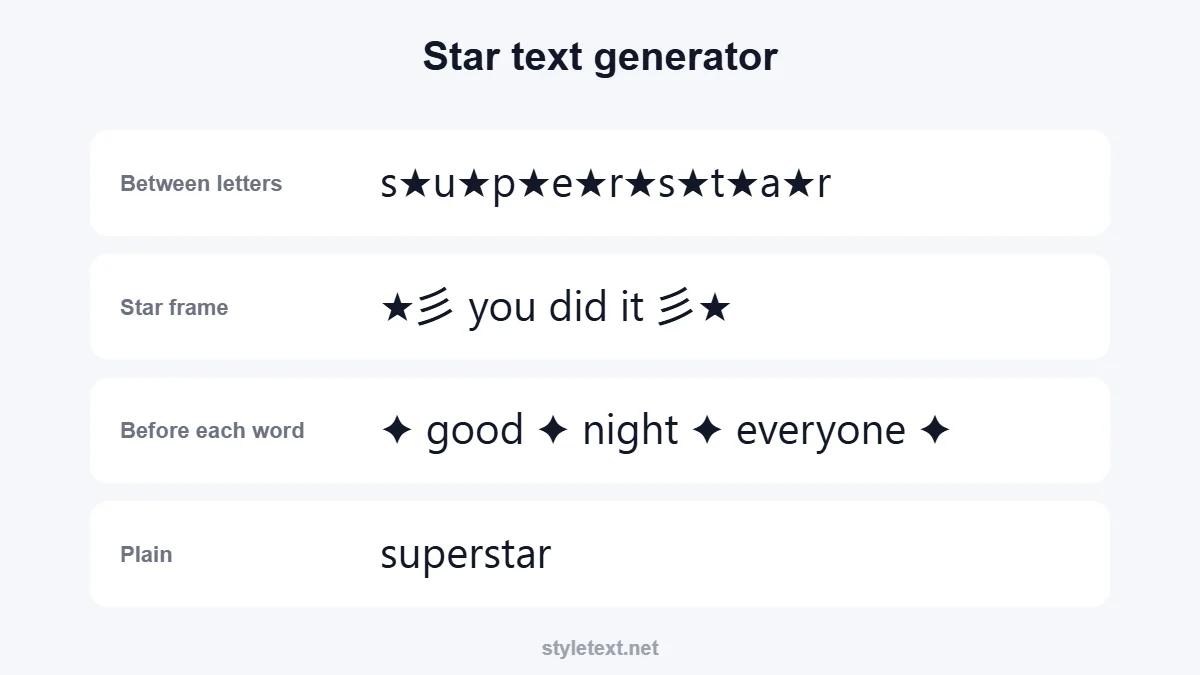
The star styles
- Stars between letters: s★u★p★e★r★s★t★a★r. Best for short names.
- Star frame: ★彡 you did it 彡★. Great for highlight titles.
- Star before each word: ✦ good ✦ night ✦ everyone ✦. Keeps longer phrases readable.
Ideas for star text
- Stage names and creator bios
- Birthday and congratulations messages: YOU DID IT
- Instagram highlight titles and aesthetic captions
- Game and Discord display names
Stars between every letter make a word much longer, so check the character limit of your bio. For more cute symbols, try the heart text generator; for sparkly images, see the glitter text generator.
Why use a star text generator?
Adding a star between every letter by hand is slow and easy to get wrong. A star text generator does it instantly, with several star styles to choose from.
The stars are ordinary characters, not emoji, so they look the same on almost every phone. This star font generator is free and needs no app.
Frequently asked questions
Are these stars emoji?
No. They are text symbols, so they look the same on most phones and computers.
Can I use stars in my Instagram name?
Yes in the Name field and bio. The @username only accepts plain letters, numbers, periods and underscores.
How do I type a star symbol on my keyboard?
Most keyboards have no star key. Copying it from here is the quickest way.
Which star style is best for long text?
The twinkle frame or a star before each word, because the words stay readable.