What is a Unicode text converter?
A Unicode text converter shows your words in every fancy letter style at once: bold, script, gothic, bubble and more. You can also paste fancy text back in and turn it into plain letters.
This Unicode text generator maps each letter to a matching character in the Unicode standard. Because the result is text, it can be copied anywhere that accepts Unicode.
On this page
How to use the Unicode Text Converter
- Type or paste your text in the box.
- Every style updates as you type.
- Tap Copy next to the one you like and paste it anywhere.
About Unicode text
Fancy text is made of Unicode characters that look like letters, such as 𝔞, ⓐ or ᵃ. This converter shows every style side by side, which is the quickest way to compare them.
It also works in reverse: paste text full of gothic letters, bubble letters, full-width letters or cursed marks and copy the "Plain text" result to get normal, searchable letters back.
Popular uses
- Comparing all styles at once
- Cleaning cursed text out of a message
- Turning fancy names back into plain text
- Making text searchable again
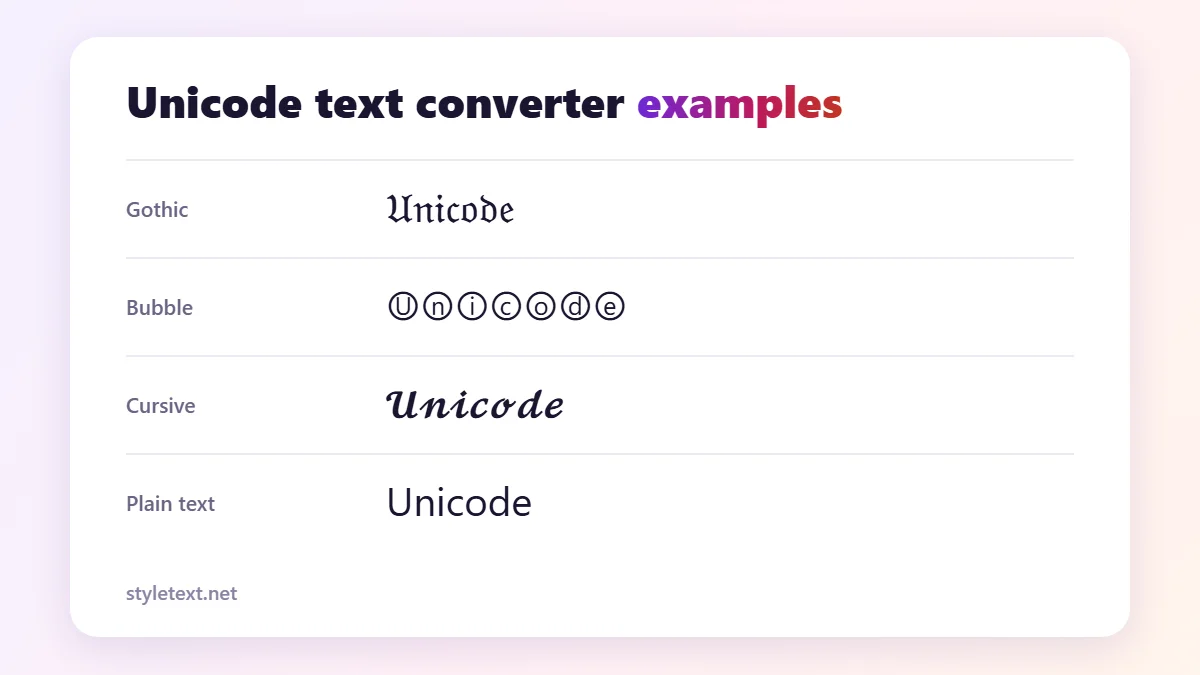
Two ways to use this converter
- Make fancy text: type once and see every style on the site side by side, such as 𝔘𝔫𝔦𝔠𝔬𝔡𝔢, Ⓤⓝⓘⓒⓞⓓⓔ and 𝓤𝓷𝓲𝓬𝓸𝓭𝓮.
- Clean fancy text: paste text full of gothic, bubble, full-width or cursed letters and copy the plain-text result.
This Unicode text converter is the quickest way to compare all styles, or to fix text someone else made.
When you need plain text back
- A username or a spreadsheet will not accept styled letters.
- A post written in fancy letters does not show up in search.
- Cursed or glitch text is breaking the layout of a chat or document.
- A screen reader reads styled letters one by one and you want normal words.
How Unicode styles work
Fancy letters are not a font. They are separate characters in the Unicode standard, mostly from the math alphabets, that happen to look like styled letters. That is why they survive copy and paste into almost any app, and why a Unicode text generator can also convert them back. For a single style with more options, try the cursive text generator, the gothic font generator or the cursed text generator.
Why use a Unicode text converter?
Fancy text from different sites can be hard to compare. A Unicode text converter shows every style side by side, so you can pick the one that fits your post without trying ten tools.
The reverse mode is just as useful. If you copied fancy letters and need normal text for search, a form or a screen reader, this Unicode text generator turns them back into plain letters in one step.
Frequently asked questions
How do I turn fancy text back to normal?
Paste it into the box and copy the "Plain text" result at the top.
Can it remove zalgo or cursed text?
Yes. All combining marks are stripped in the plain text result.
Which styles can be converted back?
Bold, italic, cursive, gothic, double-struck, typewriter, bubble, squared, wide, small caps, superscript and subscript.
Why is some text not converted?
Symbols like alien text are a cipher, not letters, so they cannot be turned back automatically.