Examples to try
On this page
How to use the Cursive Text Generator
- Type or paste your text in the box.
- Every style updates as you type.
- Tap Copy next to the one you like and paste it anywhere.
About Cursive text
These are the Unicode script letters, designed for mathematical symbols like ℒ and ℱ, and they look like elegant joined handwriting. The bold script set is the most readable on phones, so it is the one most people use for names and bios.
The light script alphabet borrows some letters from an older Unicode block (ℬ, ℰ, ℱ, ℋ, ℐ, ℒ, ℳ, ℛ, ℯ, ℊ, ℴ). They are correct characters but may look a little different in some apps. If that bothers you, use the bold style, which has no exceptions.
Popular uses
- Pretty Instagram and TikTok bios
- Names for wedding, baby shower and party posts
- Signatures in emails and chats
- Captions for aesthetic photos
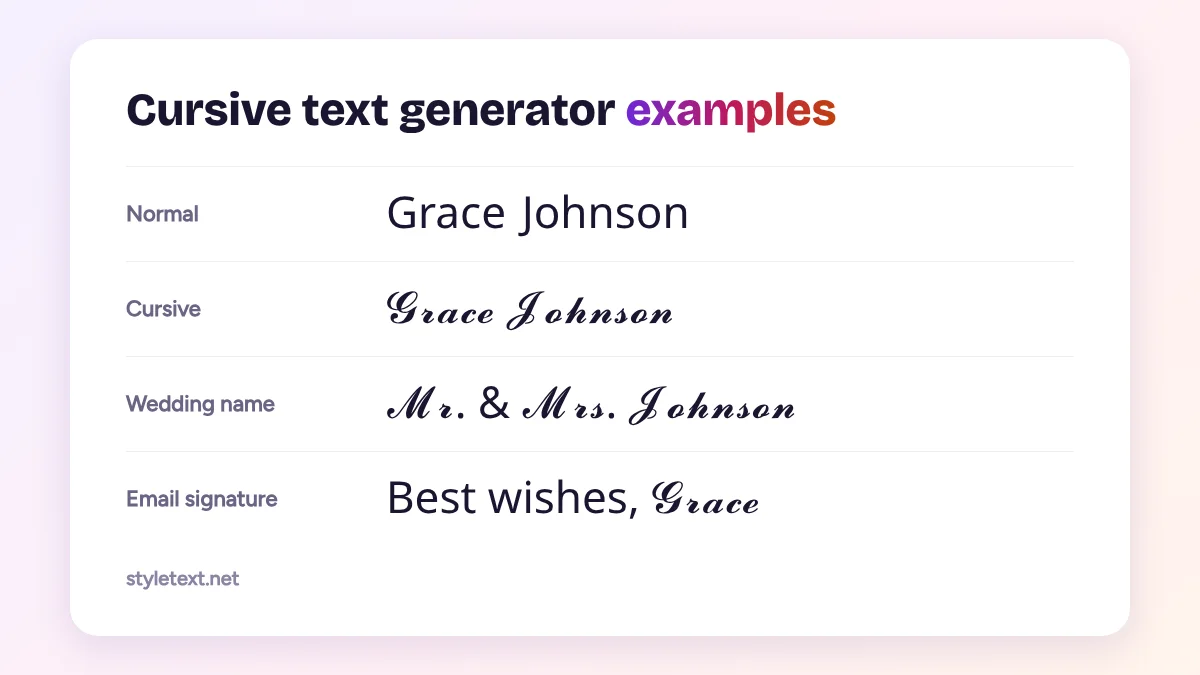
Cursive vs. italic text
Cursive text looks like joined handwriting, with loops and curls (𝓖𝓻𝓪𝓬𝓮), while italic text is ordinary print that leans to the right. Use this cursive text generator to copy and paste letters for names, invitations and soft, pretty captions. For a slanted word inside a normal sentence, the italic text generator is the better fit.
Light or bold cursive: which to pick
This cursive text generator gives you a light script, a bold script, a sparkle version and a spaced version. Light cursive looks like fine pen handwriting and suits wedding posts and quotes on a big screen. Bold cursive has thicker strokes, so it is the safer choice for anything people read on a phone, like a bio or a display name. If you are not sure, copy both and paste them into a draft to compare.
Cursive name and caption ideas
- Weddings: 𝓜𝓻. & 𝓜𝓻𝓼. 𝓙𝓸𝓱𝓷𝓼𝓸𝓷 for a profile name, a save-the-date post or a hashtag caption.
- Baby showers and birthdays: the baby’s name or “Happy Birthday” in bold cursive.
- Holidays: “Happy Mother’s Day”, “Merry Christmas” or “thank you” in a card photo caption.
- Signatures: your name in cursive at the end of an email or a chat message.
Where cursive text works
The letters come from the script alphabets in Unicode, so they paste like normal text in Instagram and TikTok bios, Facebook posts, Pinterest pin titles, text messages and most email apps. Usernames and gamer tags usually allow only plain letters and numbers, so put cursive in the display name instead.
Tips for cursive text that looks right
- Use bold cursive on phones. The light style has very thin strokes that can look faint on small screens.
- Numbers have no cursive version, so dates and years stay in normal digits.
- A few light-style letters, such as ℯ and ℋ, come from an older Unicode block and may look slightly different from their neighbors in some apps.
- Keep it short. A name or a few words in cursive looks elegant, but a whole paragraph is hard to read, and screen readers may skip the letters.
For a heavier, traditional look, try the Old English font generator, or make a round logo with the curved text generator.
Frequently asked questions
Is this real cursive?
It is Unicode script lettering, which looks like cursive. The letters do not physically join, but at normal sizes they read as handwriting.
Which cursive style is easiest to read?
Bold cursive. The thin script style can look faint on small phone screens.
Can I use cursive text for a tattoo design?
It is good for trying out wording. For the tattoo itself, an artist will use a real script font or draw the lettering.
Does cursive text work on Roblox?
Roblox filters most special characters in chat and names, so plain letters are safer there.