Examples to try
On this page
How to use the Underline Text Generator
- Type or paste your text in the box.
- Every style updates as you type.
- Tap Copy next to the one you like and paste it anywhere.
Step by step: underline text in Instagram, Discord and Notes
Underlined Unicode text works where there is no underline button. Here is how to paste it into the places people ask about most.
Instagram caption or bio
- Type your word in the box above and copy an underline style.
- Open your caption, or go to Edit profile and tap Bio.
- Paste the underlined word and save. Check it on your profile, because some styles look different on iPhone and Android.
Discord message
- Discord has real underline: type two underscores before and after a word, like __this__.
- Use the copy-and-paste styles from this page for display names and channel names, where formatting does not work.
Phone notes and messages
- Copy the underlined text.
- Long-press inside your note or message and tap Paste.
- If you see boxes instead of lines, your phone is missing the character, so try a different underline style.
Keep underlines for a word or a short heading. Long underlined sentences are hard to read, and some people expect underlined text to be a link.
About Underline text
Underline text adds a combining line below each character, so the underline travels with the text when you paste it. That makes it useful on Instagram, TikTok and YouTube, which strip normal formatting.
The double and dotted styles use different combining marks. Some fonts leave small gaps between letters; if that happens, try the low line style, which usually joins up better.
Popular uses
- Highlighting a word in a caption
- Titles in bios
- Headings in plain-text notes
- Signatures and quotes
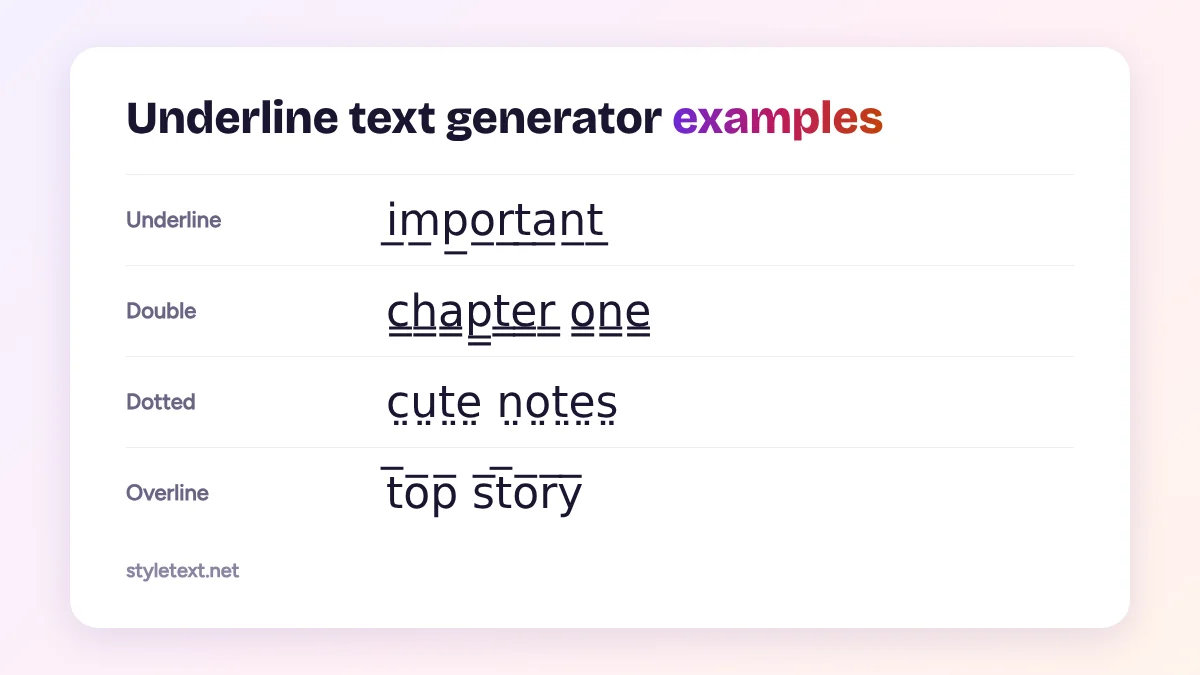
The 5 underline styles compared
- Underline: i̲m̲p̲o̲r̲t̲a̲n̲t̲, the classic single line. Best for most captions and bios.
- Double underline: c̳h̳a̳p̳t̳e̳r̳ o̳n̳e̳, heavier, like a title in a school report.
- Dotted underline: c̤ṳt̤e̤ n̤o̤t̤e̤s̤, softer and more decorative.
- Low line: m̱y̱ ḻi̱ṉḵs̱, a shorter line that sits a little lower.
- Overline: t̅o̅p̅, a line above the letters instead of below.
Each underline text generator style adds a small mark to every letter, so the line moves with the text wherever you paste it.
When to use real formatting instead
Apps with their own underline button give a cleaner result, and screen readers handle it better. Use the copy-and-paste version from this underline font generator only where formatting is missing:
- Google Docs and Microsoft Word: select the text and press Ctrl+U (Cmd+U on a Mac).
- Discord: type two underscores on each side: __your text__.
- Instagram, TikTok, YouTube and X: there is no underline option, so paste the underlined letters made here.
Ideas for underlined text
- Bios: underline one word, like l̲i̲n̲k̲s̲ or s̲h̲o̲p̲, to point people to your links.
- Captions: underline the key word in a tip or a list. Type it into the underline text generator above and copy it in one tap.
- Plain-text notes: a double underline makes a heading stand out in apps without formatting.
- Quotes and signatures: underline a name or a source.
Tips before you paste
Underlined text uses about twice as many characters, because every letter gets one extra mark, so check bio limits before you save. On websites, underlined words can look like links, so use the underline text generator for one or two words rather than a whole paragraph. If the line shows small gaps between letters, try the low line style, or pick a different font in the app. For a line through the middle instead, use the strikethrough text generator, and for slanted words try the italic text generator.
Frequently asked questions
How do I underline text on Instagram?
Type it here, copy the underlined result and paste it into your caption or bio.
Why are there gaps in the line?
Some fonts draw each mark separately. Try the low line style for a smoother line.
Can I underline numbers and spaces?
Numbers yes. Spaces are left plain so words stay readable.
Is there an overline too?
Yes, the last style puts the line above the letters.