You copy some fancy text, paste it into a bio or a chat, and instead of stylish letters you see empty boxes, question marks or strange symbols. If you see fancy text showing as boxes, you are not alone. It is one of the most common problems with fancy text, and the good news is that it is usually easy to fix. This guide explains why fancy text shows as boxes, which styles cause the most trouble and what you can do about it.
In this guide
Why fancy text turns into boxes
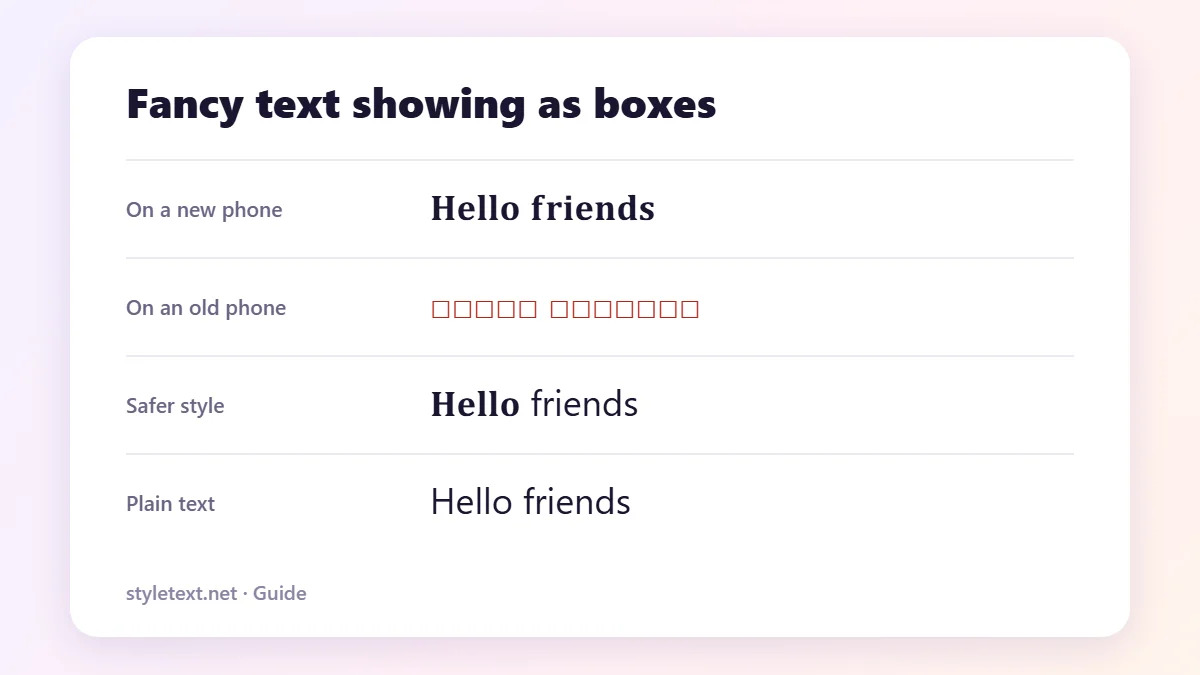
Fancy text is not a font. Each styled letter is a separate character from the Unicode standard, maintained by the Unicode Consortium. Your phone or computer still needs a font that contains a drawing of that character. When none of its fonts has the character, it shows a placeholder instead, usually an empty rectangle. Designers call these boxes “tofu”.
So the text you copied is fine. When you see fancy text showing as boxes, the problem is the device or app that is trying to display it.
The 5 most common causes
1. An old phone or operating system
Newer versions of Android, iOS, Windows and macOS include fonts for many more characters. A style that looks perfect on a new iPhone can show boxes on an older Android phone or an old Windows laptop. This is the number one reason for fancy text showing as boxes.
2. A rare style
Bold, italic and script letters from the math alphabets are supported almost everywhere. Rarer styles, such as some small capitals, upside-down letters, alien symbols or certain decorative brackets, are missing from more fonts, so they break more often.
3. The app limits which characters it shows
Some apps use their own fonts or only allow certain characters, especially in usernames and game names. In those fields the styled letters may be removed, replaced or shown as boxes even on a new phone.
4. Combining marks stacked too high
Glitchy “cursed” text adds dozens of tiny marks above and below each letter. Some apps cut them off, others show them as separate dotted circles. If you use the cursed text generator, choose a lighter level for apps that struggle.
5. Emoji and symbols mixed in
Newer emoji and some symbols only exist on recent systems. Hearts, stars and other symbols from the heart text generator are widely supported, but brand-new emoji may show as boxes for friends on older devices.
How to fix fancy text showing as boxes
- Check on another device. If the text looks right on a different phone, the text is fine and only that device is missing the font.
- Update the phone or computer. System updates often add new fonts and character support.
- Switch to a common style. Bold, italic, cursive and gothic letters work almost everywhere. The cursive text generator and the gothic font generator are safe choices.
- Remove the rare characters. Keep the fancy part short, for example only your name, and leave the rest as normal text.
- Convert it back to plain text. Paste the broken text into the Unicode text converter to get normal letters back.
Styles that work almost everywhere
If you keep seeing fancy text showing as boxes for your friends, switch to one of these styles. They look the same for nearly everyone:
- Bold and italic letters
- Script and cursive letters
- Fraktur (Old English) letters
- Circled letters
- Underline and strikethrough, which use simple combining lines
The styles most likely to break are very rare symbol sets, heavy cursed text and some small-capital and upside-down letters. They are still fun to use, but test them first if many people will see them.
Will my followers see the same thing I see?
Not always. Your text is sent as characters, and each person’s device draws those characters with its own fonts. Most modern phones will show the style correctly, but a few viewers on older devices may see your fancy text showing as boxes. That is why it is a good idea to keep important information, such as a link, an email address or a shop name, in normal text.
Frequently asked questions
Why is my fancy text showing as boxes or question marks?
Fancy text showing as boxes or question marks means the device has no font for those characters. Some apps and older systems replace characters they cannot display with a question mark instead of a box. Either way, the text itself is fine.
Is fancy text broken if it is showing as boxes?
No. Even when fancy text is showing as boxes, the characters are still there. If you paste the same text on a newer device, it will usually display correctly.
How do I get normal text back?
Paste the text into a Unicode converter. It maps each styled letter back to the plain letter it came from.