Examples to try
On this page
How to use the Old English Font Generator
- Type or paste your text in the box.
- Every style updates as you type.
- Tap Copy next to the one you like and paste it anywhere.
Step by step: use Old English letters in Canva, Word and a tattoo preview
Old English letters from this page are real characters, so you can paste them into design tools and documents, not just social apps.
Canva or another design app
- Type your text above and copy the Old English style you like.
- In Canva, add a text box and paste the letters into it.
- Change the size and color as usual. If a letter shows as a box, switch the text box to a different font, since some fonts do not include these characters.
Microsoft Word or Google Docs
- Copy the Old English text.
- Paste it into your document with Ctrl + V (Windows) or Cmd + V (Mac).
- Use it for a title or a name only, so the document stays easy to read and search.
Preview a tattoo or name design
- Type the exact name, date or word you want.
- Compare the Old English styles side by side and take a screenshot of your favorite.
- Show the screenshot to your tattoo artist. They will redraw it by hand at the right size, so treat it as a preview, not a stencil.
About Old english font
The style people call Old English is a heavy blackletter, with thick vertical strokes and sharp diamond-shaped joins. It has nothing to do with the Old English language of Beowulf: the name comes from English printers who kept using blackletter long after the rest of Europe moved on. That history is why it still appears on newspaper titles, diplomas and certificates.
The bold style here is closest to the classic Old English look. The lighter style is better for longer phrases, because heavy blackletter gets hard to read after a few words. For a real tattoo or print design, use these letters to try out wording, then ask your artist for a proper blackletter font.
Popular uses
- Trying out wording for a tattoo or name chain
- Newspaper-style titles and school project headers
- Old English signatures and bios
- Logos for streetwear and car clubs
Old English letters for tattoos and names
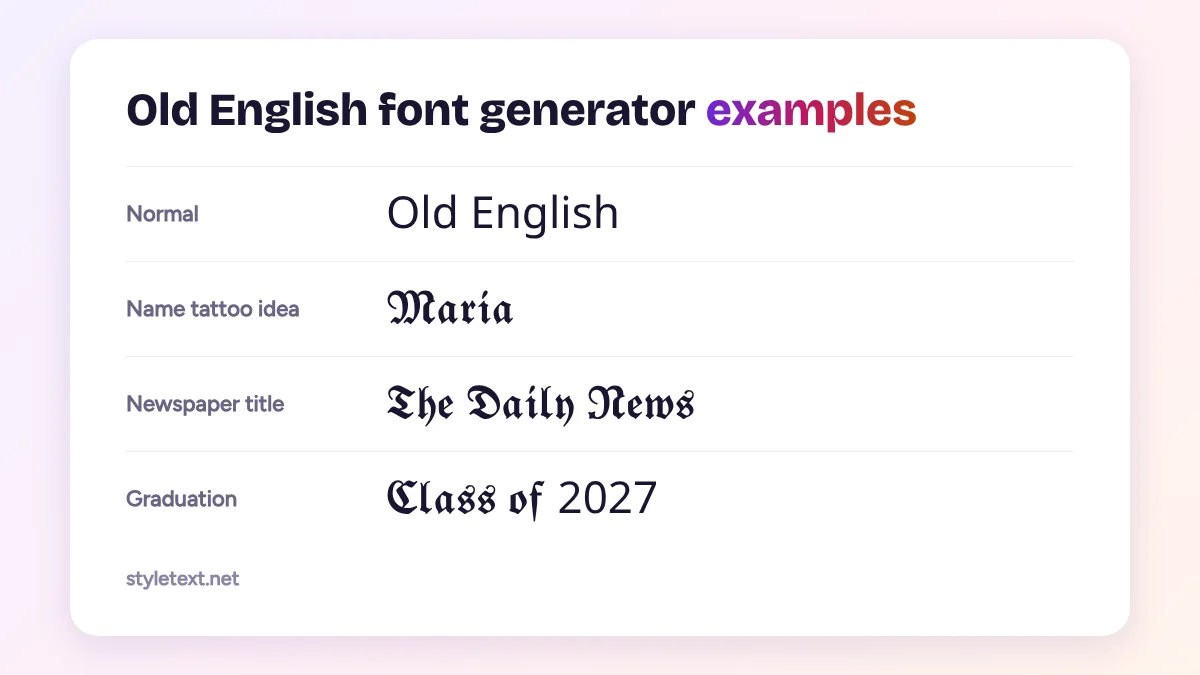
Most people use an Old English font generator to try out wording before a tattoo, a name necklace or a custom shirt. Type a name, a date or a short phrase and compare how it looks in the heavy style (𝕸𝖆𝖗𝖎𝖆) and the lighter one. Seeing the word on screen first makes it easier to spot letters that look alike in blackletter, like n and u or c and t. When you are happy with the wording, show it to your tattoo artist or printer, who can draw it with a full blackletter font at the right size.
Old English vs. gothic text
Both styles come from the same Fraktur letters that Unicode includes, so the shapes are related. The difference is how they are used. This Old English font generator is built for the bold, heavy look of newspaper titles, diplomas and street lettering, while gothic text is used more for dark, moody bios and posts. If you want that darker look with extra styles, try the gothic font generator.
Where Old English text is used
- Newspaper titles: many American papers still print their name in blackletter, so it gives school newsletters and club flyers a classic look.
- Diplomas and certificates: the style suggests something official and traditional.
- Streetwear and lettering: names, neighborhoods and area codes in Old English are a long-standing look on shirts, caps and car decals.
- Bios and display names: one Old English word, like a nickname, stands out in an Instagram or TikTok bio.
Ideas to try
- A first name or last name, such as 𝕽𝖔𝖉𝖗𝖎𝖌𝖚𝖊𝖟
- A graduation line: 𝕮𝖑𝖆𝖘𝖘 𝖔𝖋 2027
- A year or founding date: 𝕰𝖘𝖙. 2026
- A city or team name for a shirt or banner, typed straight into the Old English font generator
Tips for clean Old English text
Write words with one capital letter and the rest lowercase, because whole words in Old English capitals are very hard to read. Numbers have no Old English version, so they stay in normal digits, as in the graduation example. Letters with accents, like é or ñ, also stay plain. Keep it short: the Old English font generator looks best with one to four words. For a softer look, the small text generator makes tiny letters, and the italic text generator slants them.
Frequently asked questions
Is this the same as the Old English language?
No. Old English font is a printing style (blackletter). The Old English language looks like ordinary letters with a few extra ones, such as þ and ð.
Can I use it for a tattoo?
It is great for testing how a word looks. For the actual tattoo, your artist will draw or use a full blackletter font so the letters can be adjusted and scaled.
Why do numbers stay plain?
Unicode has no blackletter numbers, so digits like 2026 keep their normal look.
Will it work in Word or Google Docs?
Yes, paste it in like any text. To edit the size or colour, use the document tools as usual.