What is a superscript text generator?
A superscript text generator turns normal letters and numbers into small characters that sit above the line, like x² or 1ˢᵗ, or below it, like H₂O. It is useful wherever there is no superscript button.
This superscript font generator uses the small characters in the Unicode standard, so the result pastes into chats, social posts and documents.
On this page
Examples to try
How to use the Superscript Generator
- Type or paste your text in the box.
- Every style updates as you type.
- Tap Copy next to the one you like and paste it anywhere.
About Superscript text
Superscript characters sit above the line, as in 10² or 1ˢᵗ, and subscript characters sit below it, as in CO₂. Unicode has full superscript digits and most superscript letters, but only about 20 subscript letters, so missing ones stay normal.
For homework and documents, these characters are quicker than finding the formatting menu, and they survive copy and paste into chats. For proper maths papers, the equation tools in Word or Google Docs give more control.
Popular uses
- Exponents in chats (x², 10⁶)
- Chemistry formulas (H₂O, CO₂)
- Footnote markers and ordinals (1ˢᵗ)
- Trademark-style labels
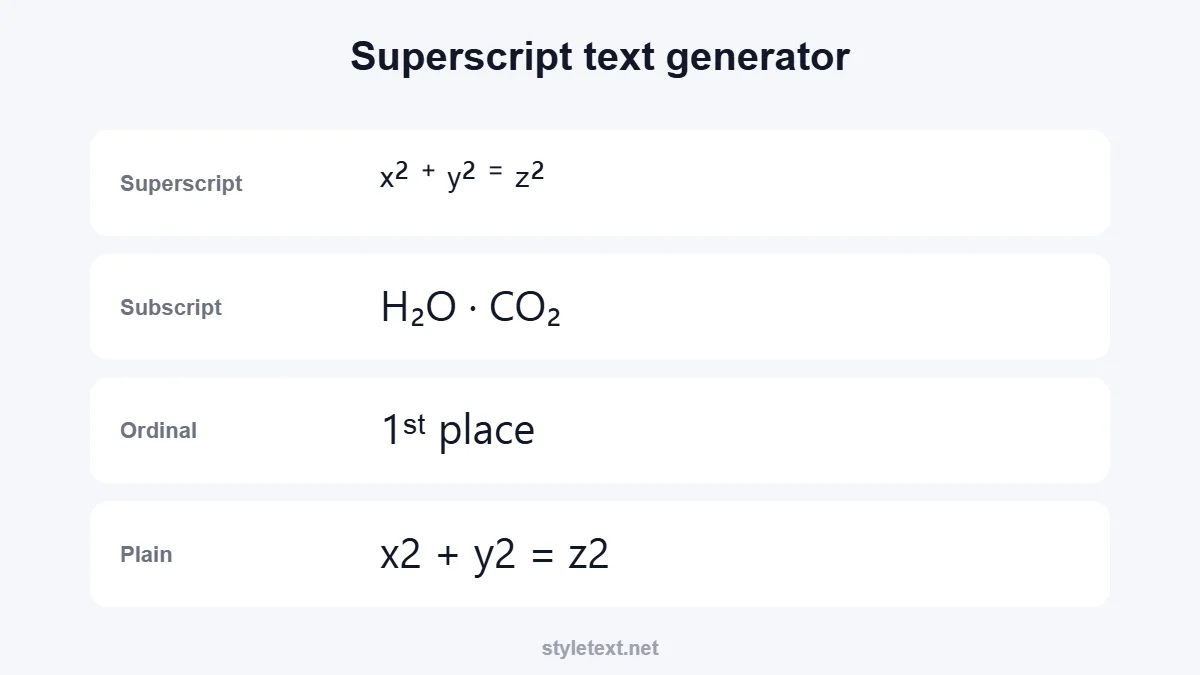
Superscript and subscript examples
- Superscript: ˣ² ⁺ ʸ² ⁼ ᶻ², for exponents and ordinals.
- Subscript: H₂O · CO₂, for chemistry formulas.
- Mixed: write 10⁶ for a million or 1ˢᵗ place in a post.
When superscript text is useful
- Math homework help in chats: x², 10³, 2ⁿ
- Chemistry: H₂O, CO₂, O₂
- Footnote marks and ordinals: 1ˢᵗ, 2ⁿᵈ, 3ʳᵈ
- Fun tiny text in bios and captions
Unicode has every superscript digit but not every letter, and only some subscript letters, so a few letters stay normal. For tiny text in general, see the small text generator; for math-style letters, try the serif font generator.
Why use a superscript text generator?
Most apps have no formatting menu, so typing x² or H₂O is hard on a phone. A superscript text generator converts it in one step.
Because the characters are real text, they survive copy and paste into chats, comments and spreadsheets. This superscript font generator is free and works on any device.
Frequently asked questions
How do I type squared (²)?
Type the number in the box and copy the superscript result, for example 2 becomes ².
Why are some subscript letters missing?
Unicode only includes subscript versions of about 20 letters, such as ₐ, ₑ and ₒ.
Is this the same as small text?
Superscript letters are one of the small text styles. This page focuses on maths and science uses.
Will superscript work in Excel?
Yes, as pasted characters. Excel cannot calculate with them, so use ^ in formulas.